How to Use AMap
AMap (Gaode Ditu) is the "Google Maps" of China. It is significantly more accurate than Apple Maps or Google Maps (which is blocked).
Optional: Sign Up
Sign up with international phone number or email to save your favorite locations.

Account

Sign up
1. Finding Your Way
AMap is primarily in Chinese, but it supports Pinyin (English letters) for searching.
Search in Pinyin
You don't need to type Chinese characters. Just type the name in English or Pinyin.
Result: 三里屯 (Sanlitun)
Star Your Favorites
When you find a place, tap the Star (收藏) icon to save it. This makes it easier to select as a destination later without typing.

Search in English/Pinyin

Public Transport Route
2. Navigation Modes
AMap supports Drive, Bicycle and walk navigation with Multilingual Voice .

The 'Blue Button' Rule
In AMap, the Big Blue Button is almost always "Go" or "Start Navigation".
3. Booking a Taxi
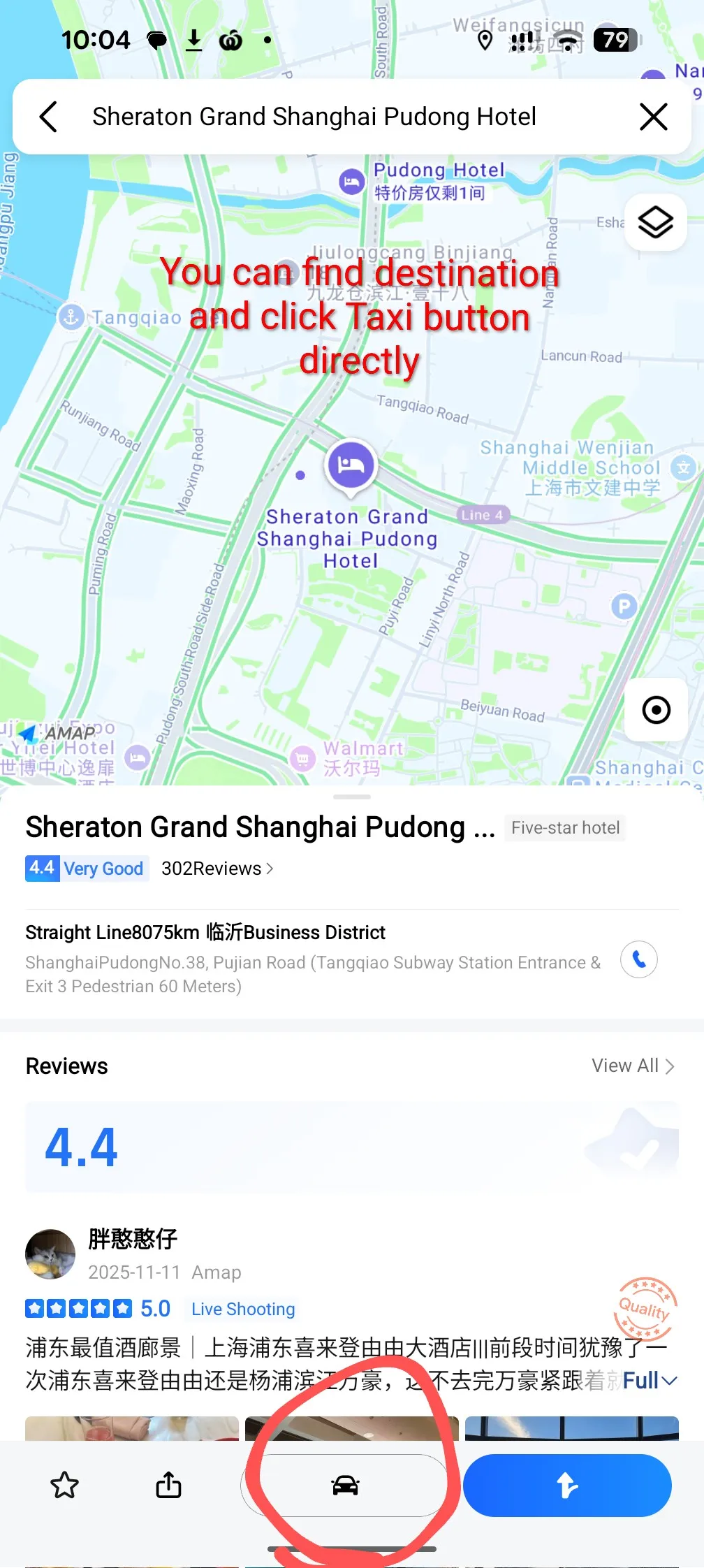
Direct Booking

Route Booking
Pro Tips
Download Offline Maps
Download offline maps for the city you are in (e.g., Beijing) to save data and navigate faster. But be aware that it can only be done in Chinese language UI. First step : Tap the 'setting' icon at top right corner, then go to 'General' - 'Language Settings' to switch to Chinese language UI. After download, Tap the '我的' icon at bottom right then Tap the setting icon at top right corner, then go to '通用' - '语言设置' to switch back to English
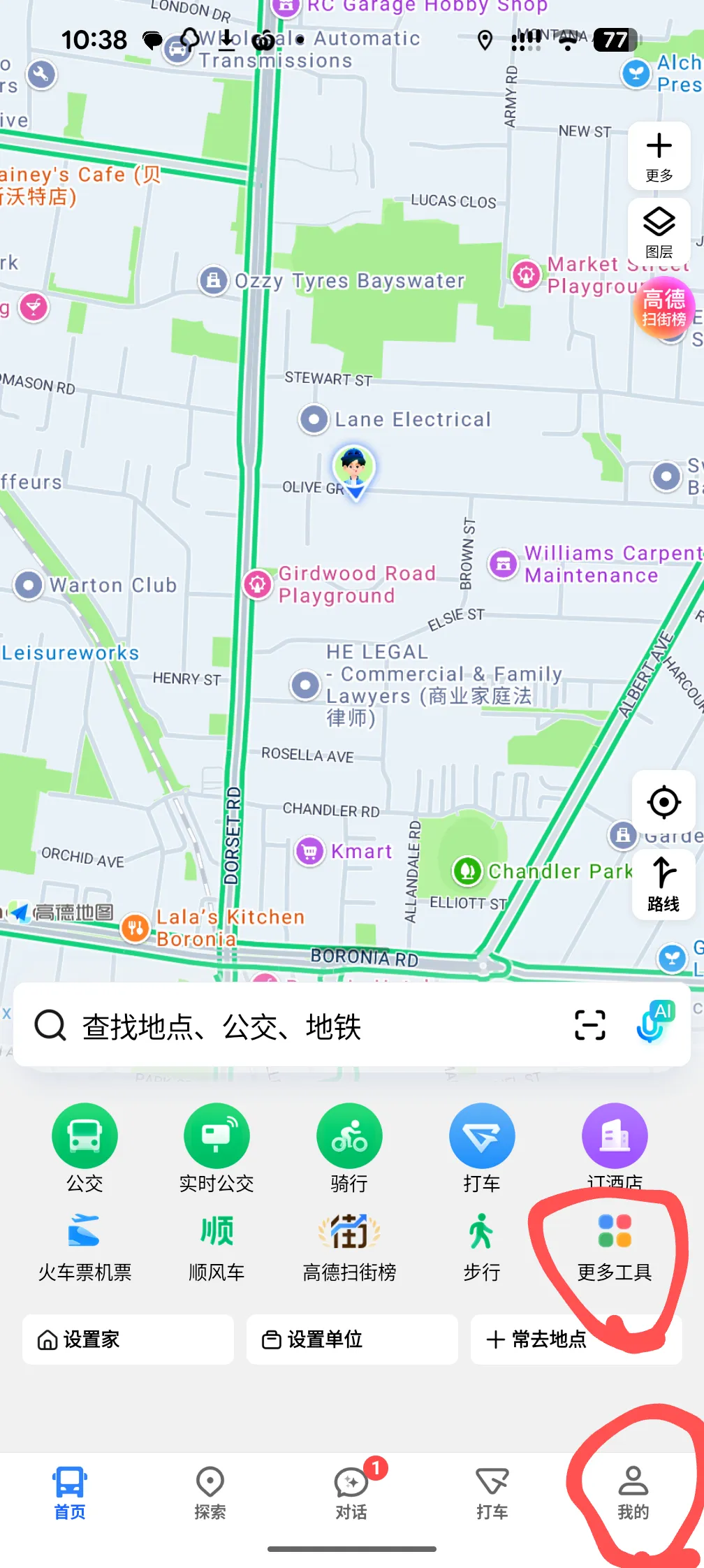
Tool Box
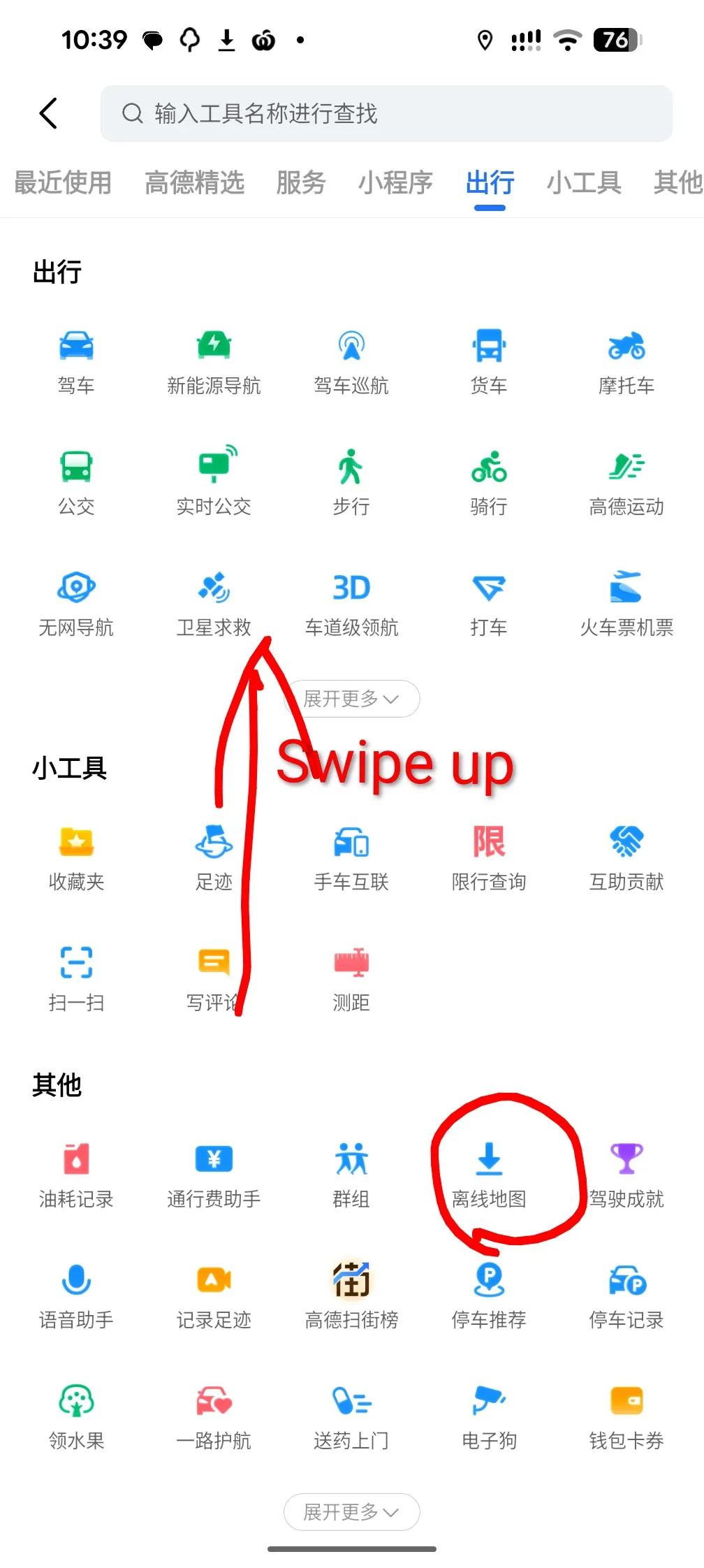
Offline Map

Map Download

Back to English